
Serial / network communication
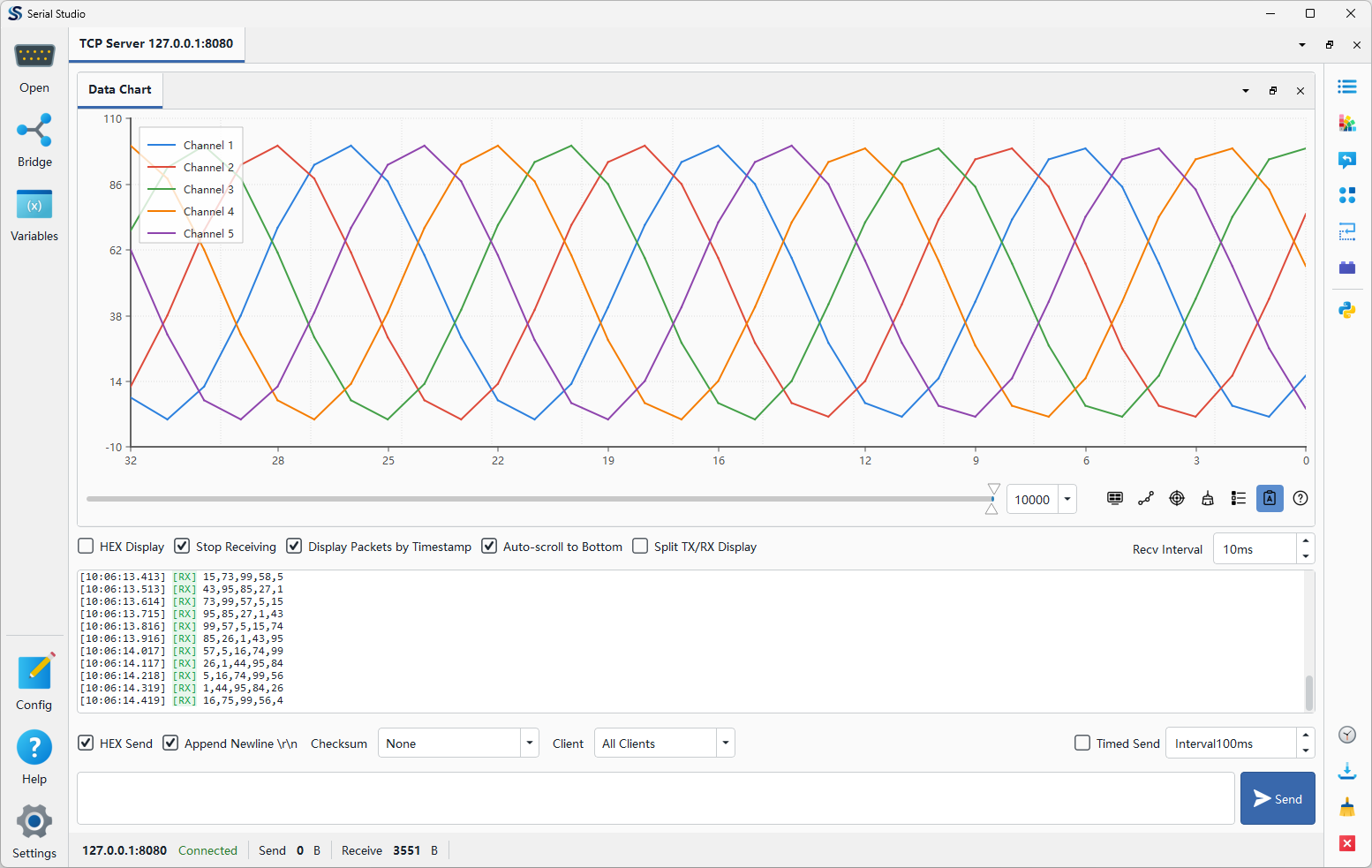
Supports multi-port serial and TCP/UDP network communication with flexible baud rate and parity settings for real-time send/receive.
Serial Studio is a powerful serial debugging tool for engineers and developers. It supports multi-port serial and network communication, visual data bridging, Python/Lua scripting, and 12 real-time visualization widgets that make complex data easy to understand.
For Windows 10 / 11 · Free to use
From basic send/receive to advanced data routing, covering every step of serial debugging.
Supports multi-port serial and TCP/UDP network communication with flexible baud rate and parity settings for real-time send/receive.
Configure multi-device routing with Visio-style connections, freely combine send/receive endpoints, and broadcast one-to-many in real time.
Preset common commands, loop-send with one click, and control intervals and sequences for protocol testing and batch work.
Automatically match incoming data and reply with preset messages for hands-free, unattended protocol interaction.
Persist send/receive logs in real time to prevent data loss and support later review.
Highlight key data with colors so important information stands out in logs.
Parse and maintain variables from data streams and reference them when sending to build dynamic, reusable workflows.
Analyze received data to quickly identify patterns and trends.
Visually compose and execute workflows with start, pause, single-step, and breakpoint debugging.
Built-in gauges and charts visualize device data in real time — no extra code required.
Each widget binds to its own data source and refreshes in real time. Drag and drop to arrange your layout — monitor sensors, parse protocols, or debug attitude devices in a workspace of your own.
Manage devices with tabs, group modules clearly, and keep common features within reach.
Powered by Python and Lua script engines
def calculate_checksum(data):
    # Custom checksum function example
    if hasattr(data, 'data'):
        byte_data = bytes(data.data())
    else:
        byte_data = bytes(data)

    crc = 0xFFFF
    for byte in byte_data:
        crc ^= byte
        for _ in range(8):
            if crc & 0x0001:
                crc = (crc >> 1) ^ 0xA001
            else:
                crc >>= 1

    # Return 2-byte CRC value (little-endian)
    return bytes([crc & 0xFF, (crc >> 8) & 0xFF])
-- Modbus CRC16 checksum calculation (Lua 5.4)
-- See the docs for the full CRC_TABLE

function calculate_checksum(data)
    local crc = 0xFFFF

    for i = 1, #data do
        local index = ((crc & 0xFF) ~ data[i]) + 1
        crc = (crc >> 8) ~ CRC_TABLE[index]
    end

    -- Return result with LSB first
    return {crc & 0xFF, (crc >> 8) & 0xFF}
end
Download for free and start debugging efficiently.
MSI installer package
Browse all historical versions and release notes.